



Get paid faster.
Create professional invoices in seconds.
The lightning-fast invoice generator for freelancers and small businesses.
No complex software, just fill the form and download your PDF invoice.
100% Free. No credit card required.
Stop overpaying for features you don't even use.
Let's be honest, most invoicing software is completely overkill for what the small business person needs.
You don't need a comprehensive accounting suite to run your business— just create a downloadable PDF with our generator, send it to your client, and get paid.
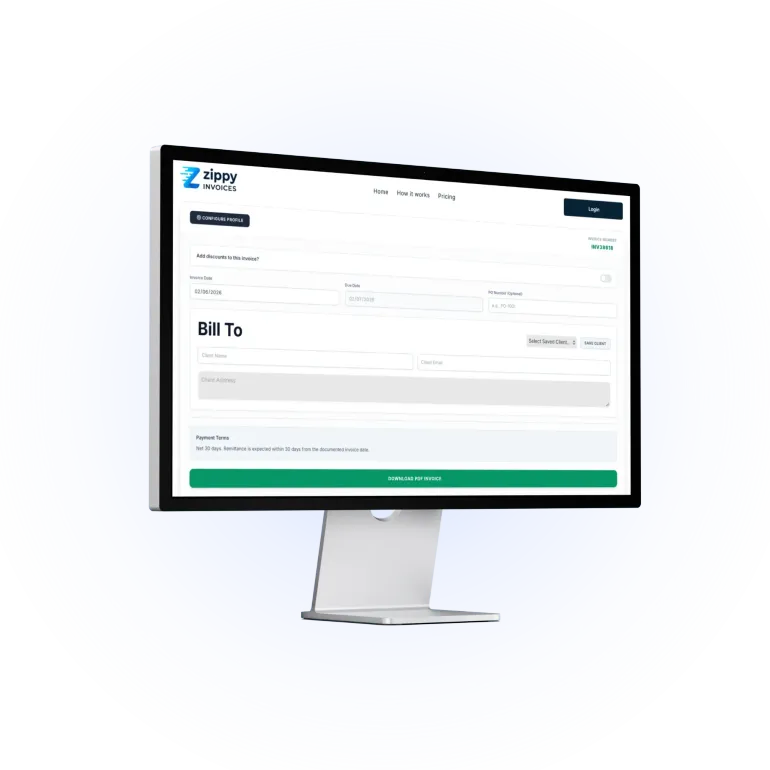
From blank form to PDF invoice in less than 30 seconds.
No onboarding calls. No tutorials.
Just a tool that works the second you open it.
Step 1: Set Your Profile (Once).
Upload your logo, set your products or services, and drop in your bank details. We save it instantly to your device so you never have to type it again.
Step 2: Using the Generator.
Add your client name and address, select the product from your drop-down menu, or type them in on the fly. The rest is automatic. So easy!
Step 3: Download & Get Paid.
Click one button to generate a professional PDF that you can email straight to your client.
Built for speed.
Designed for small businesses.
The absolute fastest way to generate professional PDF invoices—period.
No complex dashboards
No endless menus, no setting up complex client CRM profiles.
Just a single, beautifully simple form.
Unlimited Invoices
Create as many custom invoices as you need. No limits.
Absolutely free.
Zero Bank Linking
Simply add your bank or payment details directly onto the invoice template.
Type, download, and get paid.
Total Data Privacy
Everything is saved securely right on your own device.
Your business stays your business.
Don't just take our word for it.
What do our users say?
"I signed up to so many invoice creator systems, but they were all so complicated to set up so I lost interest. This is so simple to use, genius!"
Ian
Freelance Designer
"Invoicing is something I hate doing, but it has to be done. Zippy Invoices make the process so quick and painless, I can't do without it now."
Christopher
School Workshops Provider
"I have absolutely zero patience for complex software. This is the only tool I've found where I can get a professional invoice in half a minute. It does exactly one job and does it perfectly."
David R
Mobile Mechanic
Pricing
Free Plan
£0
/ Forever
The essentials to get you paid fast.
✓ Unlimited PDF Generation
✓ Smart Automations
✓ Automatic Due Dates
✓ Auto-Save locally in your browser
✕ Your Company Logo
✕ Remove Zippy Invoices branding
✕ Saved Clients
✕ Saved Products or Items
Pro Plan
£3.99 / Month
Look 100% professional to your clients.
Everything in the Free plan, plus:
✓ Remove Zippy Branding
✓ Upload your own Company Logo
✓ Unlimited Saved Clients
✓ Unlimited Saved Products or Items
✓ Cancel anytime!
FAQs
Everything you need to know about using Zippy for your UK business.
What currencies does Zippy Invoices support?
Zippy is built specifically for UK-based freelancers and small businesses, so it exclusively supports British Pounds (GBP / £). Keeping it single-currency allows us to eliminate all the unnecessary global bloat and keep the tool lightning-fast.
Do my clients need a Zippy account to view or pay the invoice?
Not at all. Your client receives a standard, professional PDF file directly from you. They don't need to sign up, log in, or create an account to view it.
You simply add your payment details or links to the description in your business profile. Easy!
Is there a limit to how many invoices I can generate?
No. Whether you are using our free tier or our pro features, you can create and download as many invoices as your business needs.
Are these PDFs formatted for standard UK printing?
Yes. Every invoice generated is automatically optimized for standard A4 paper size, ensuring it looks perfectly sharp whether it's viewed on a screen or printed out for physical records.
How do you save the data on my device?
We prioritize your privacy and data security.
Unlike many web applications, we do not save your business profile, client details, or invoice data on our servers. Instead, our invoice generator uses a standard browser feature called Local Storage.
Here is how it works:
100% Local: When you click "Save Settings" or add a new client, that information is saved directly into the memory of your specific web browser (like Chrome, Safari, or Edge) on your current device.
Total Privacy: Because your data never leaves your device, we cannot see, access, or share your sensitive information. There are no databases to be hacked or data to be leaked.
No Tracking Cookies: We only store the exact text you type into the form so that it auto-fills the next time you open the generator. We do not use tracking cookies to follow you across the internet.
Easy to Delete: Because your information is tied to your web browser, you are in complete control. If you want to permanently delete your data, you simply need to clear your browser's cache and site data. (Note: This also means if you switch to a different computer or a different browser, you will need to re-enter your business profile).
If I delete my browser history, will it delete my saved data?
It depends on what options you select when clearing your history. Your web browser splits your digital footprint into a few different categories, and they are treated differently:
Clearing "Browsing History" is completely safe: If you only delete your list of visited websites, your saved business profile and client list will not be lost.
Clearing "Cookies and Site Data" will erase your data: Because our generator uses your browser's local storage to keep your data private, deleting "Cookies and other site data" will completely wipe your saved settings.
How to clear history safely:
If you want to clear out your recently visited links but keep your invoice settings intact, simply ensure that the box for "Cookies and other site data" is left unchecked before you hit clear.